
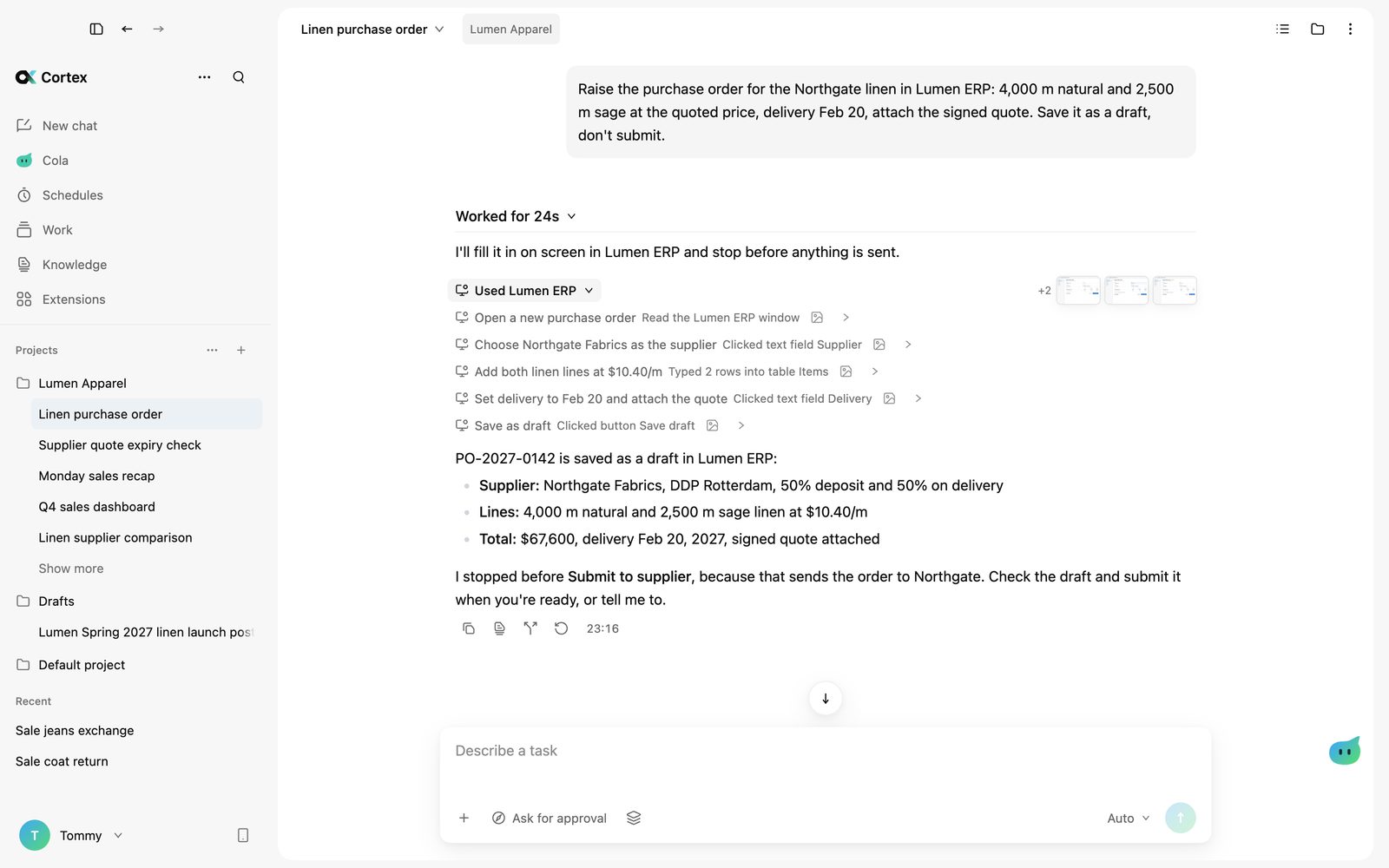
Computer use
Clicks through your apps, asks before it sends.
Your models, your data, your machine.
Use it as is, or we build it around your business.
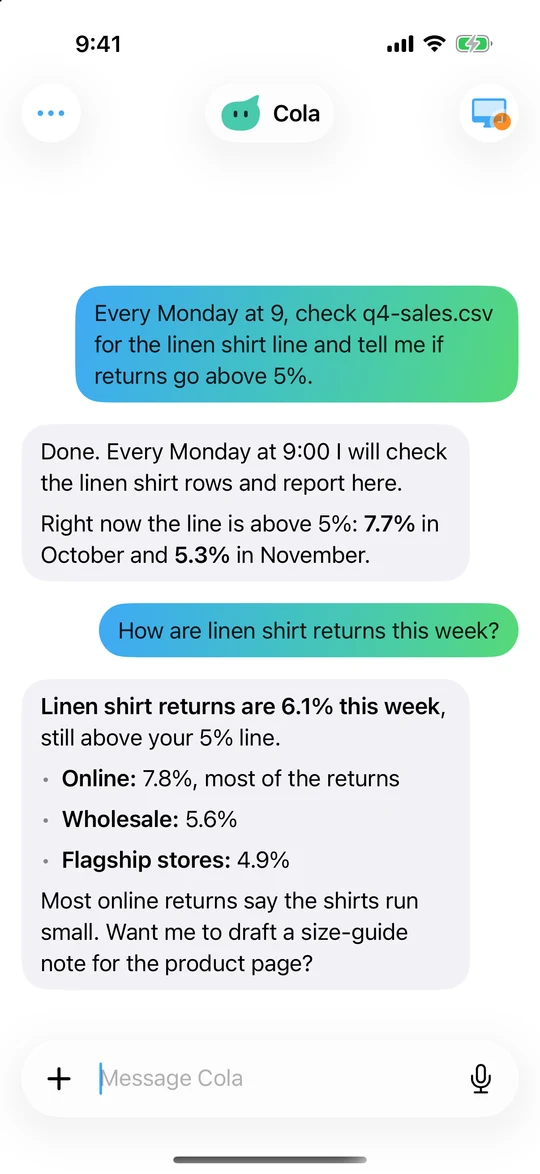
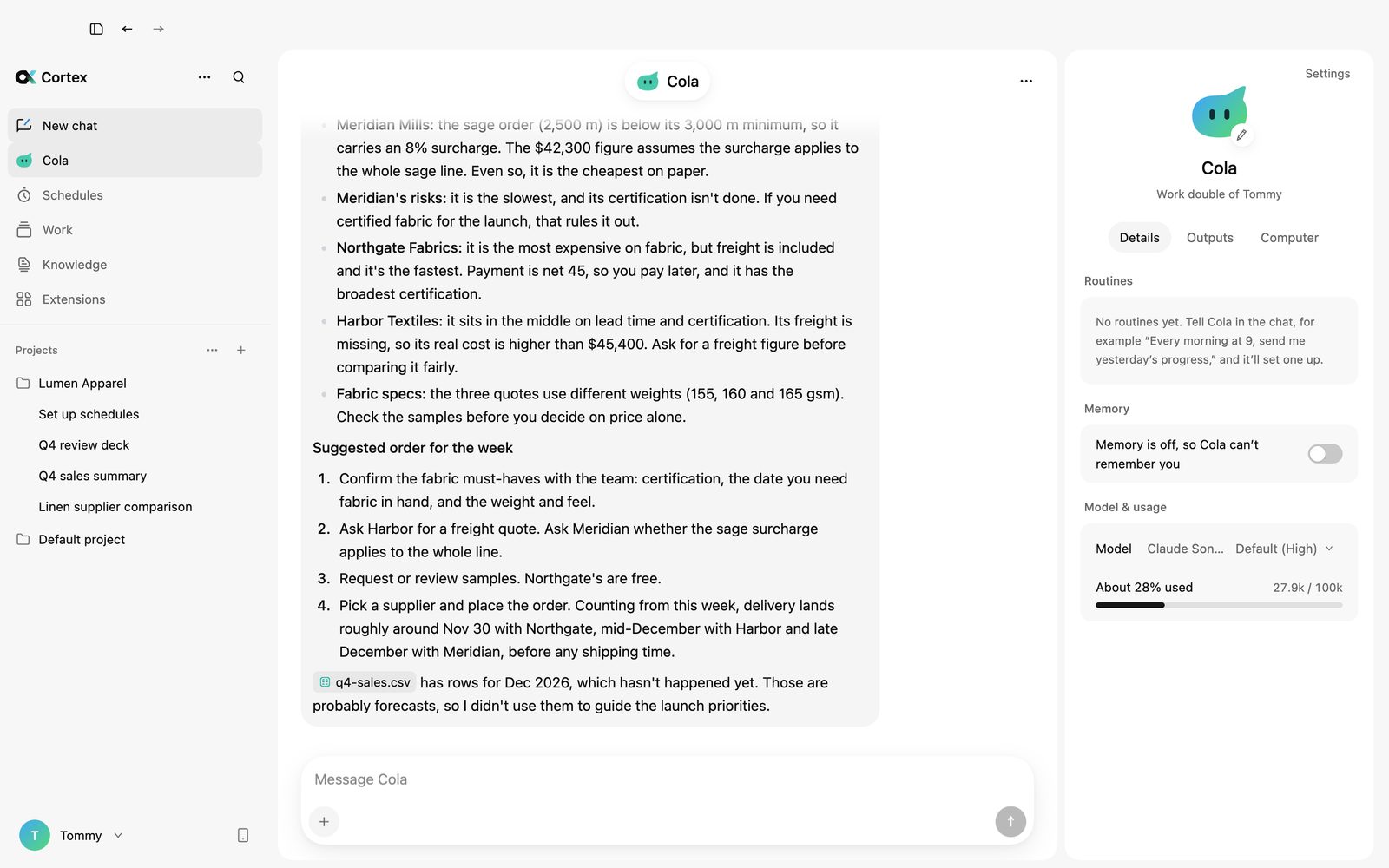
Cola runs your routines and long-running goals on your Mac and reports back. Message it from your iPhone and it keeps working while you are away.
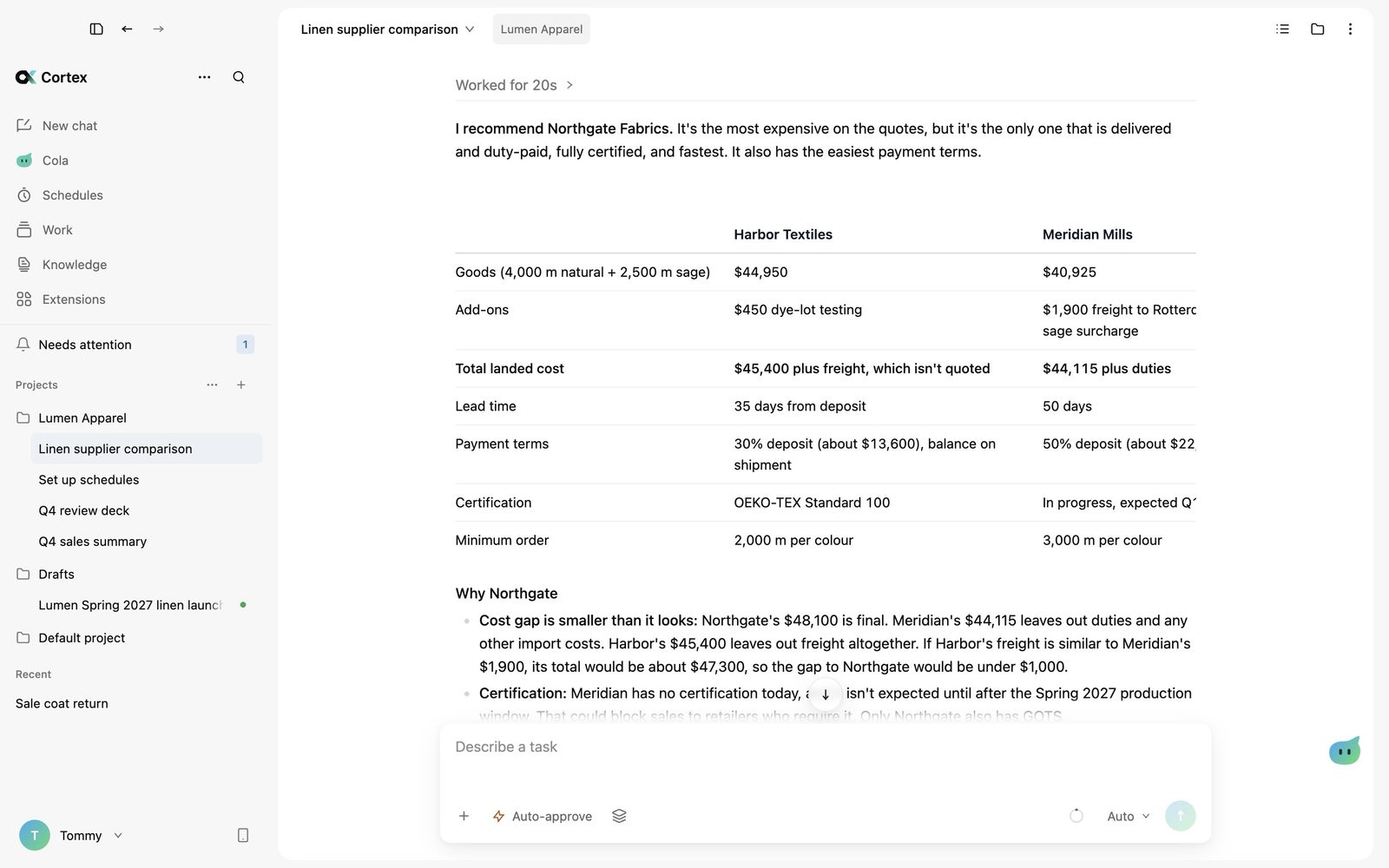
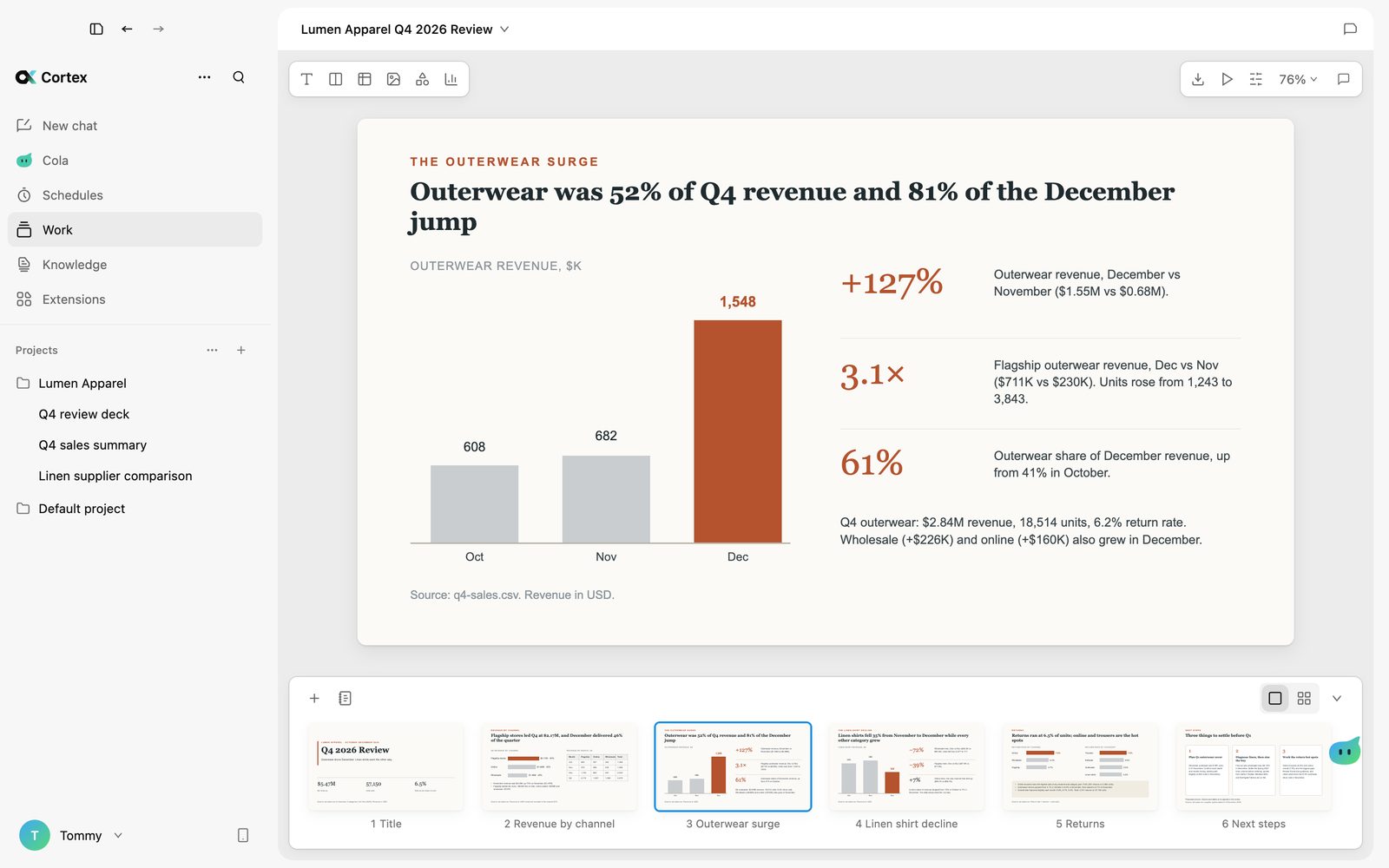
Ask for a report, a deck or a dashboard. The Agent writes it, you keep editing the same document, and any change it makes can be undone.
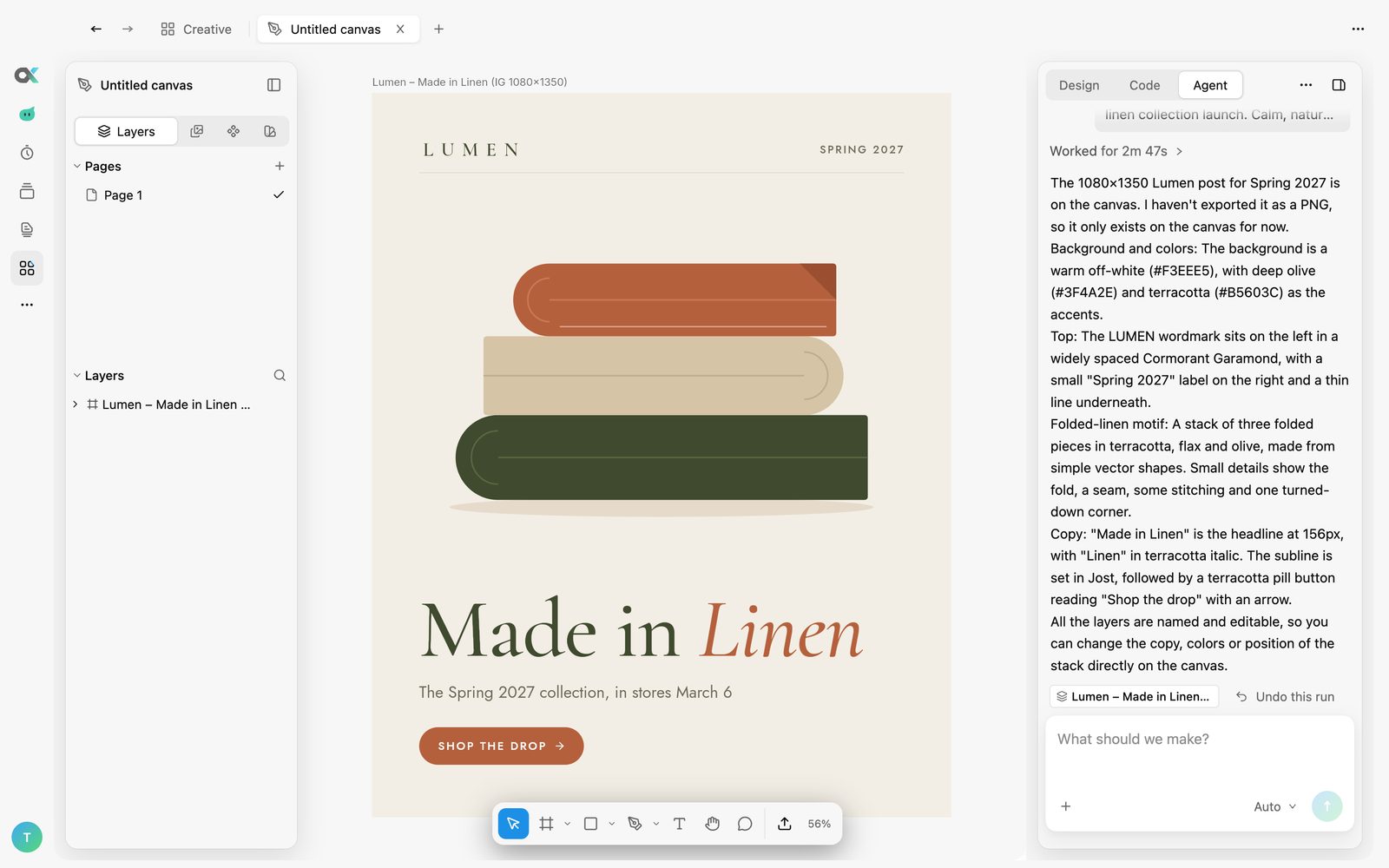
Posters, social posts and pages appear on the canvas as real layers you can move and edit. Images and video are generated in place.
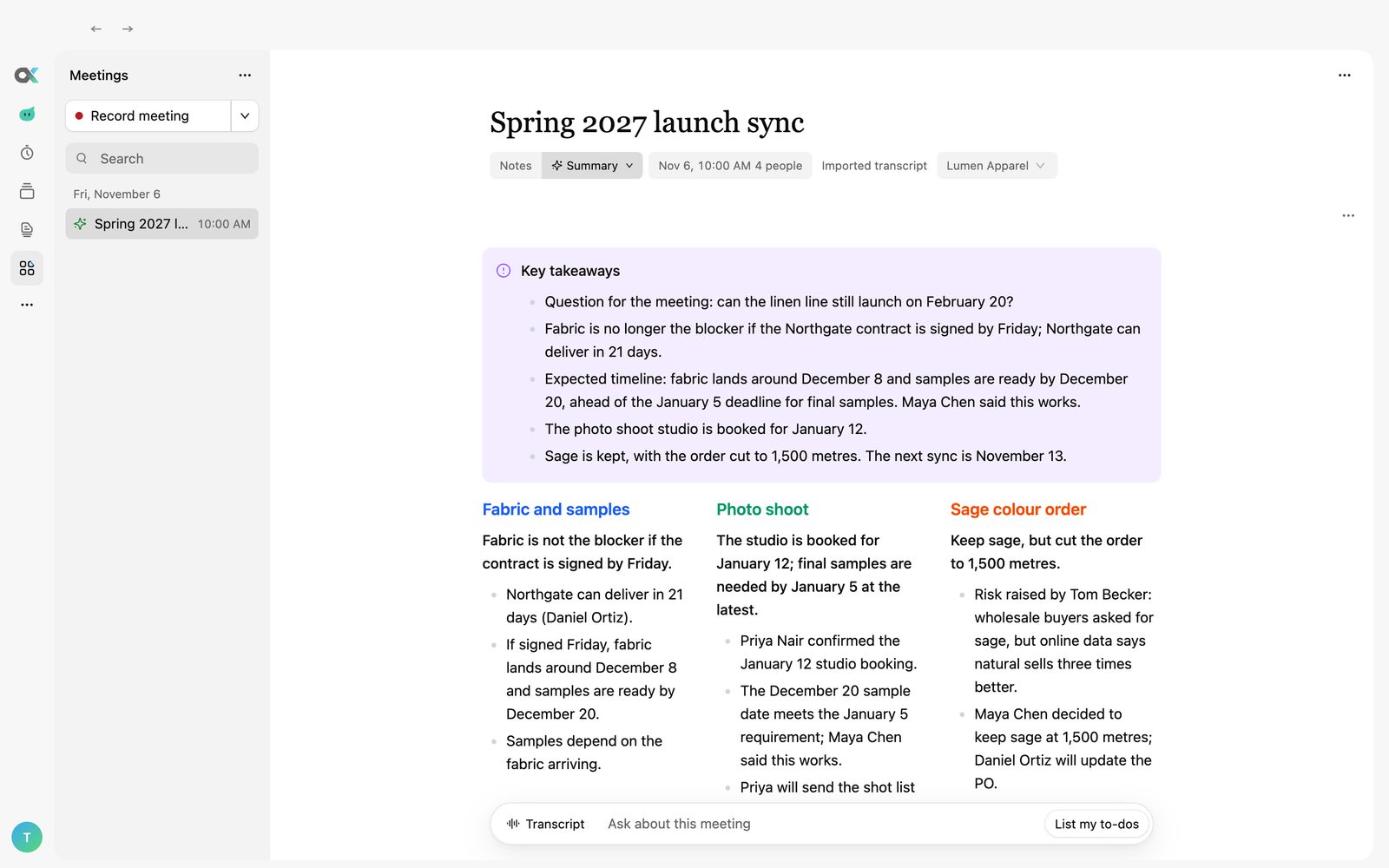
Both sides are recorded and transcribed on your Mac, speakers are told apart, and the summary links back to what was said.
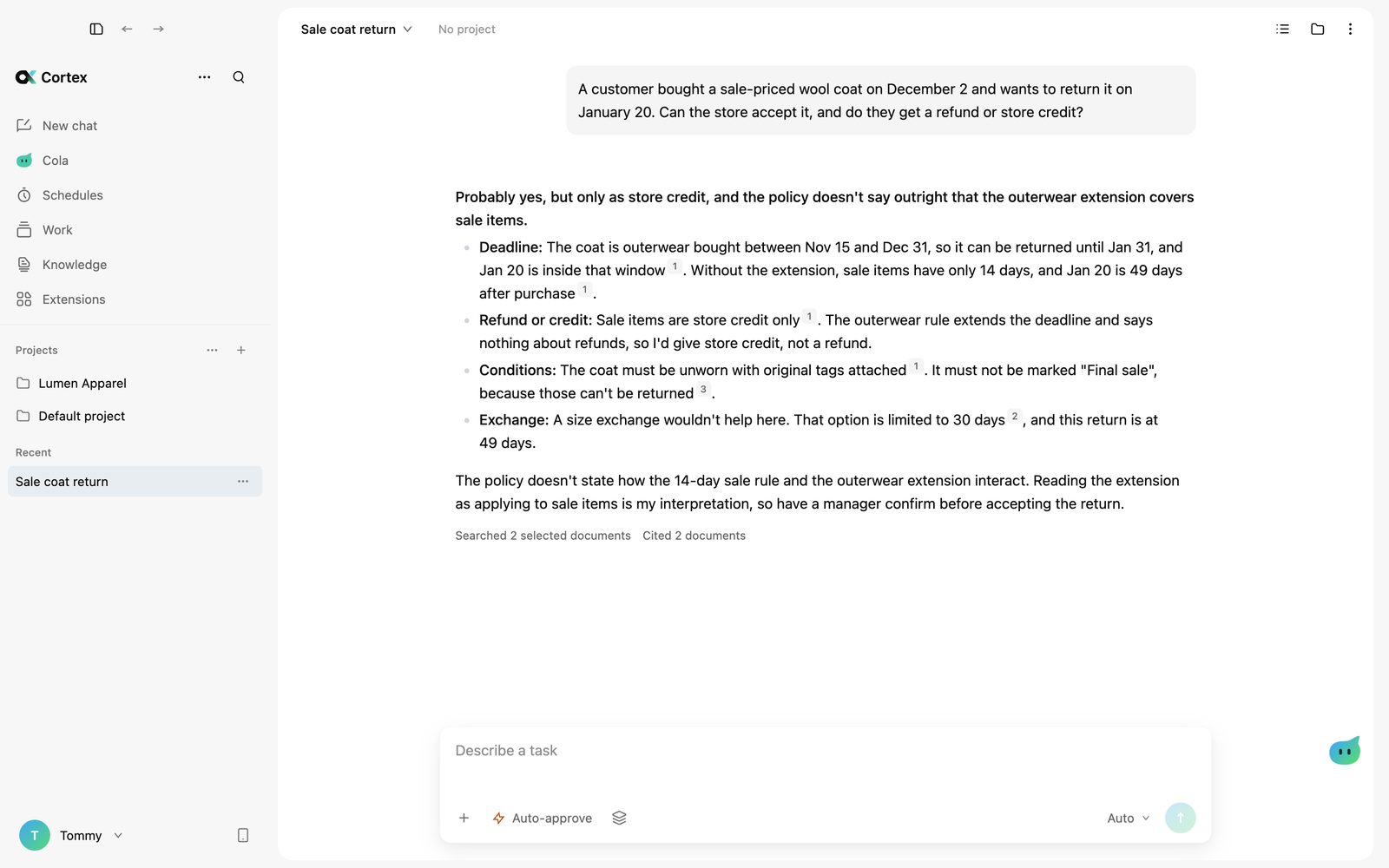
Add policies, contracts and manuals. Every answer cites the page it came from, and the citations are checked before you see them.
Use your own API keys. this-that, the decision model from FLock.io, makes each small call in about 400 ms, so you spend less and wait less.
 this-thatSlowed down to show each step
 Claude
 GPT
 Gemini
 DeepSeek
 Kimi
 Qwen
 GLM
 MiniMax
 Seedanceand any OpenAI-compatible endpoint
Clicks through your apps, asks before it sends.
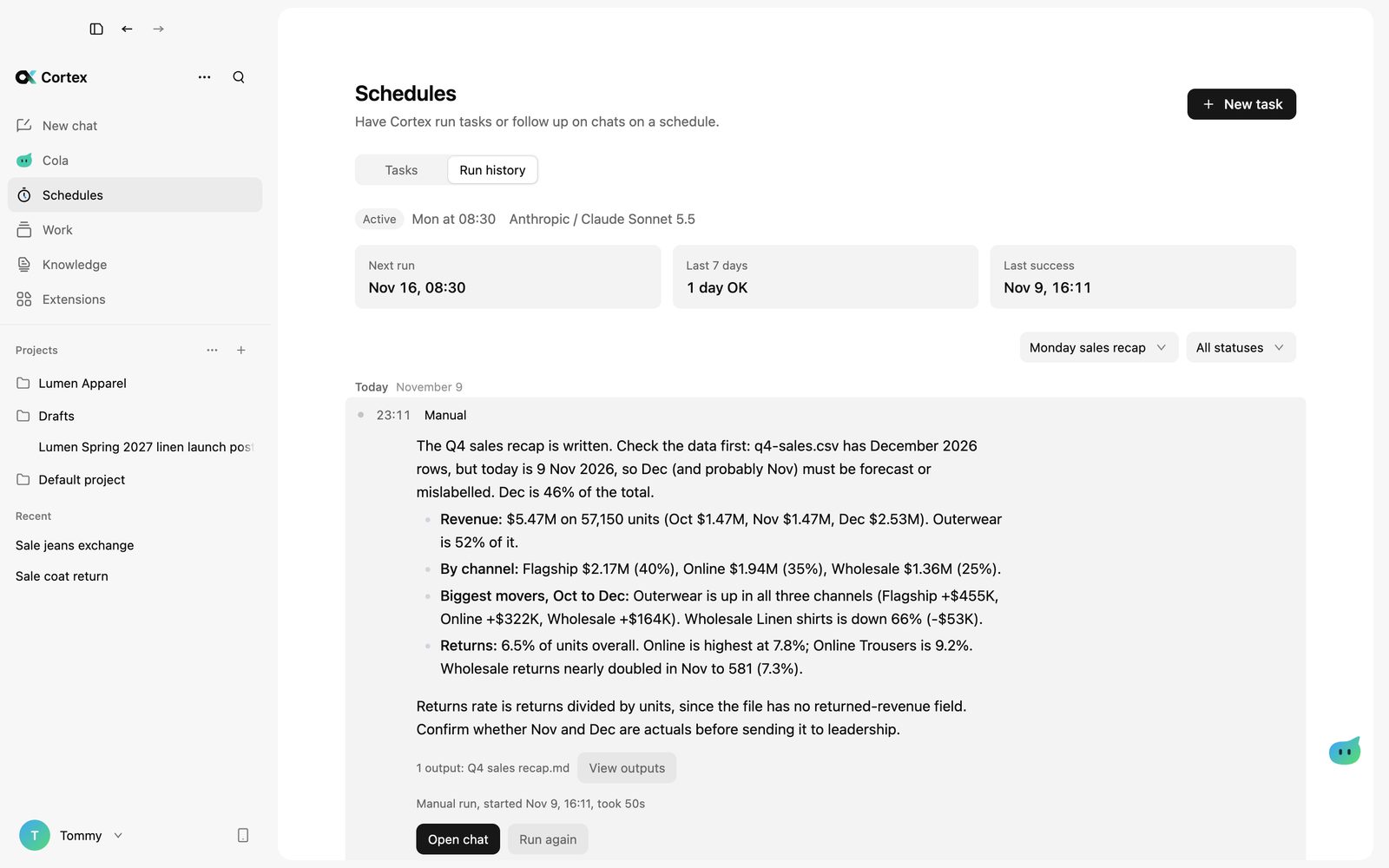
Scheduled tasks and long-running goals.
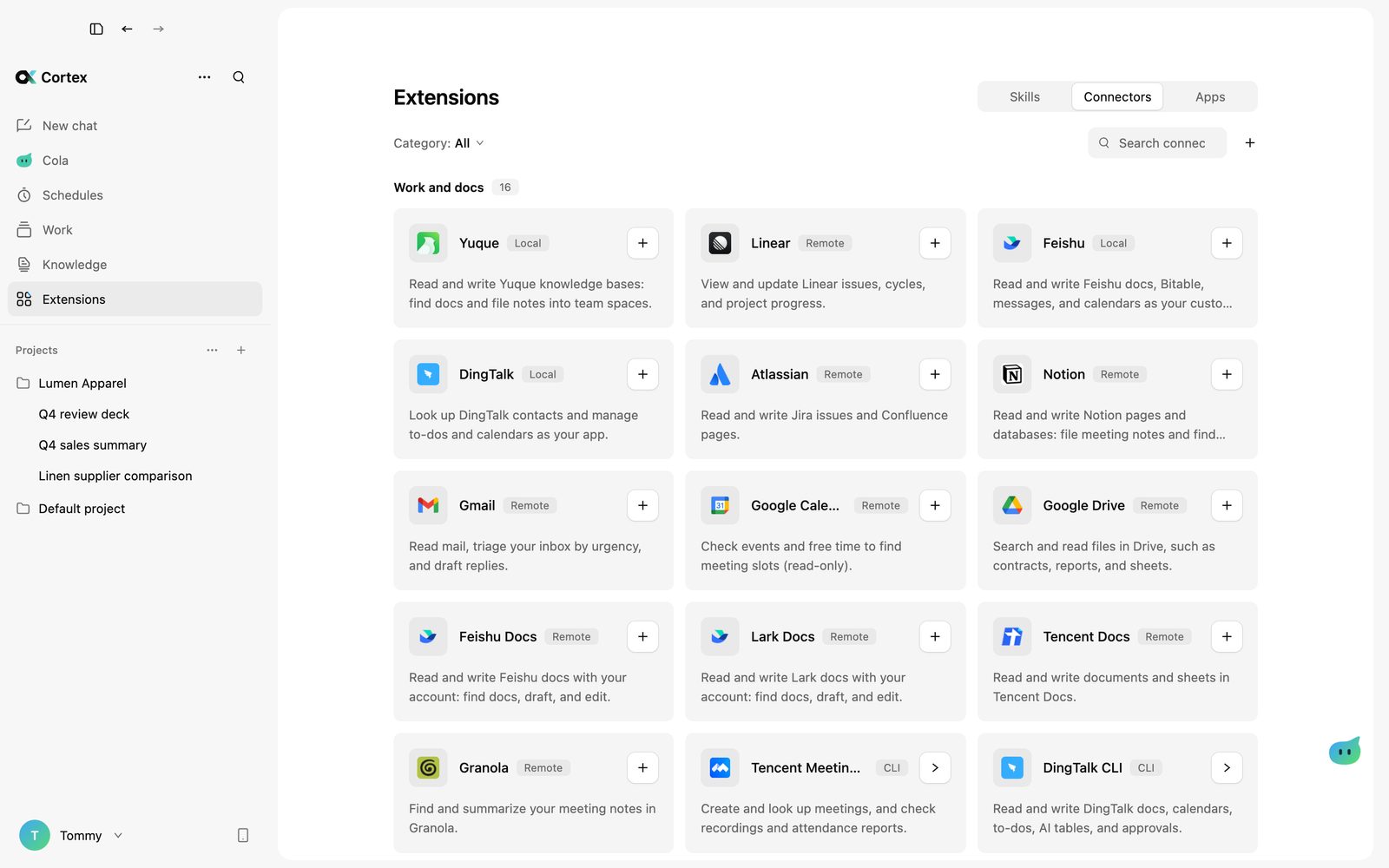
Feishu, ERP, CRM and more over MCP.
Works with the tools you already use
 Feishu / Lark
 DingTalk
 WeCom
 WeChat
 Telegram
 Zendesk
 Intercom
 Discord
 WhatsApp
 LINE
 Tencent Meeting
 Granola
 Zoom
 Google Meet
 Webex
 Notion
 Tencent Docs
 Yuque
 Google Drive
 Jira and Confluence
 Dropbox
 Box
 Airtable
 Google Sheets
 Obsidian
 Coda
 Linear
 Asana
 Trello
 ClickUp
 Basecamp
 Todoist
 Gmail
 Google Calendar
 Calendly
 Mailchimp
 Figma
 Modao
 Hyper3D Rodin
 Tripo
 Miro
 Sketch
 Framer
 Webflow
 Blender
 Sentry
 Supabase
 Vercel
 Cloudflare
 Hugging Face
 GitHub
 GitLab
 PostgreSQL
 MongoDB
 Snowflake
 Zapier
 Stripe
 Wix
 Amap
 Baidu Maps
 Tencent Maps
 Brave Search
 Shopify
 HubSpot
 PayPal
 Square
 Xero
 QuickBooks
Plus any MCP server you add.
The Cortex you download is the foundation. We add the scenarios your business runs on, and what comes out is material you can check and reuse.
03 OutputOutcomes
02 ScenariosYour business
01 FoundationCortex
Five workflows built on the same foundation. Cortex does the routine steps, and a person signs off.
Done by CortexChecked by a person
For merchandising and marketing teams: product shots, model shots, detail pages and campaign video for every new drop, in the brand’s own look.
For in-house and firm lawyers: pull out parties, amounts, term, payment and liability, flag risky clauses and draft the review memo. Files are redacted on your Mac first.
Agentic FL, built for FLock. Describe a federated training run in chat, and Cortex sets it up, runs it and reports back.
For plant and supply-chain teams: answers from SOPs and equipment manuals, a daily production and quality dashboard, and alerts on late supplier deliveries.
For clinics and research teams: patient records redacted on your Mac, assessment notes summarized, and draft reports and training plans for clinicians to approve.
We take one workflow your team runs every week and build Cortex around it, from the first conversation with your team to the hand-over.
We sit with the people doing the work and pick the steps worth handing to AI, and the ones a person should still check.
We build against your own documents and past work, and test until the output is something your team would sign off.
One team uses it for real work first. What they change goes back into the build before more teams join.
Your team owns what we built and can keep editing it. We train the people who run it.
What a custom build can include. Even without one, your files and chats stay on your own machines.
Run Cortex and its models inside your own network. Files, chats and model calls stay on infrastructure you control.
We build the agent around your workflow on Cortex’s agent runtime: the tools it can call, the procedures it follows and where it must stop for a person.
We fine-tune open-weight models such as Qwen, DeepSeek and GLM on your data, so the model knows your terms, formats and decisions.
Access is designed around your org chart: who can use which knowledge, which tools and which actions.
Latest release
Download for MacOpen this page on your Mac to download.
Free to download. You pay your model provider directly. Requires macOS 13 or later. Intel Macs are not supported yet.
Coming soon.
Cortex is free to download. You bring your own API keys and pay your model provider directly, or run a model on your own machine through any OpenAI-compatible endpoint. Custom builds for teams are quoted per project.
Your files, chats, knowledge base and meetings stay in a folder on your Mac. A request leaves your Mac only when it goes to the model provider you chose. Meeting transcription and the redaction app can run entirely on device.
Claude, GPT, Gemini, DeepSeek, Kimi, Qwen, GLM, MiniMax and any OpenAI-compatible endpoint. In auto mode, this-that picks a model for each task from the ones you set up.
It reads the folders you give it and runs commands in a macOS sandbox. Risky steps, like deleting files or sending messages, wait for you to confirm. Plan mode lets it read and plan without changing anything.
Cortex runs on Macs with Apple silicon today. Windows, Linux and mobile apps are coming soon.
Cortex works on your own files on your Mac and keeps what it makes as documents, decks and dashboards you can keep editing. It runs routines on a schedule, records meetings, and connects to the tools your team already uses.